
01 / SOLHEA
Access without creating another password
The PWA opens from a secure link and verifies access with an OTP. Tokens and sessions have controlled lifetimes and Journey-specific scope. Automated invitations and OTP delivery by SMS are still on the roadmap.
02 / SOLHEA
A clear next action
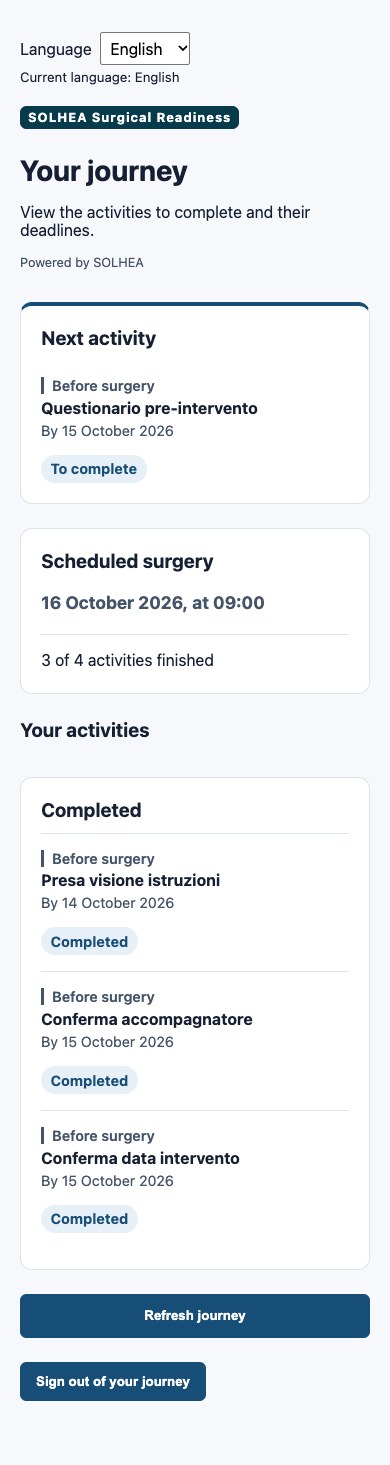
To do, Coming up and Completed organize the pathway. Instructions, deadlines and facility contacts accompany activities. When staff verification is needed, patients see “Awaiting verification”, without READY/ATTENTION/NOT READY.
- Confirmations and acknowledgements
- Guided questionnaires, back/next navigation and validation
- No medical report or clinical document uploads
03 / SOLHEA
The facility’s experience
Name, logo, palette, language and contacts create a consistent experience. Interfaces are localized in IT/DE/EN/ES; custom Journey content is not automatically translated.
04 / SOLHEA
Support after the event
D+n organizational activities stay in the same Journey: acknowledgement of logistical information, administrative steps or permitted questionnaires. This is not telemedicine, symptom collection or emergency management.