
01 / SOLHEA
From priority to context
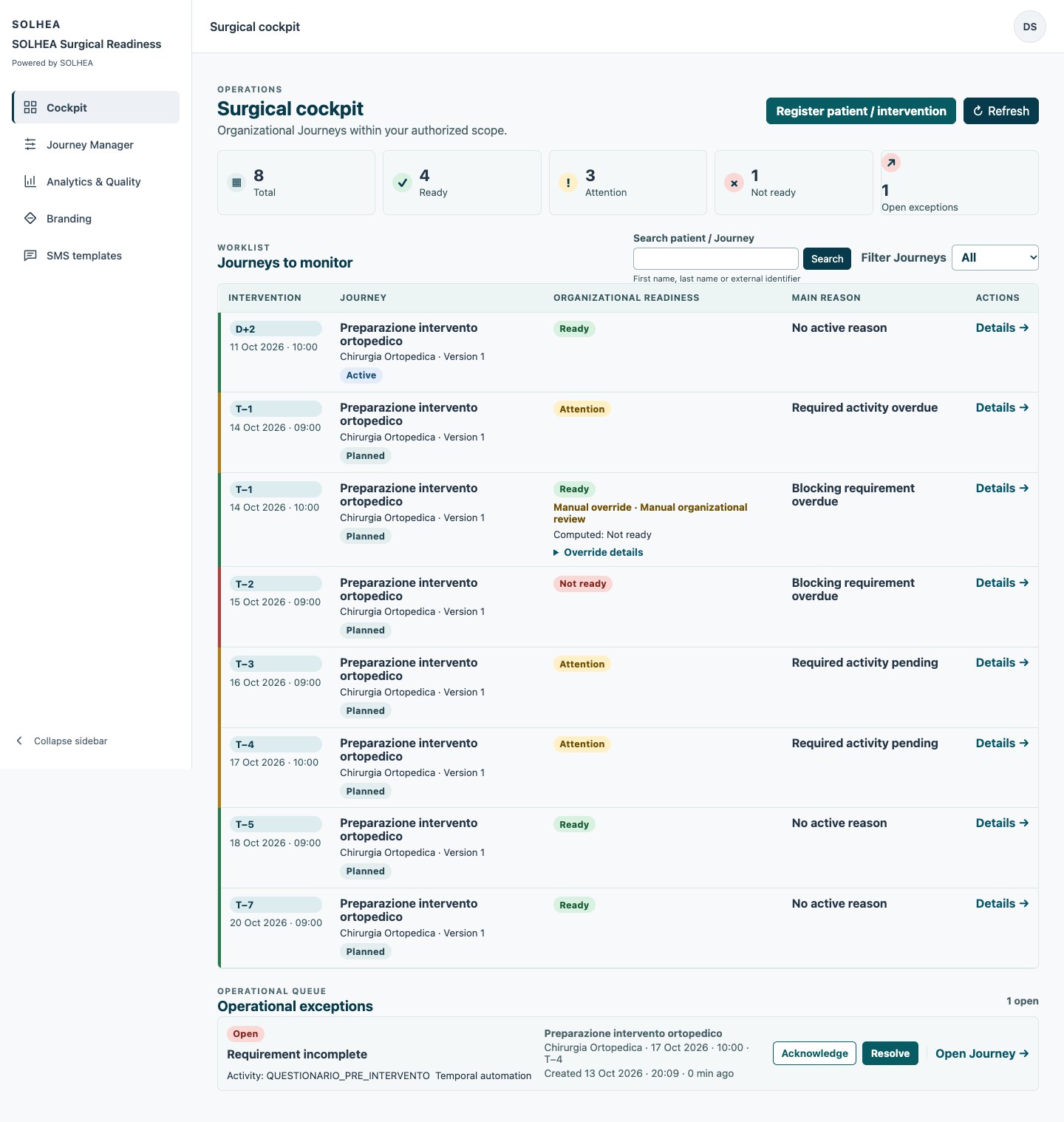
The Cockpit connects the scheduled date, progress, activities, readiness and exceptions. Search by first name, last name or external identifier stays within the authorized scope. Filters help select cases; journey detail retains the context required to act.
- Deadlines and open checks
- Activity owners and status
- Visible organizational reasons
02 / SOLHEA
Take ownership while retaining evidence
Exceptions retain their origin, related activity, type, age and history. Authorized staff take ownership and resolve them with reasons. Activity completion, verification and exemption depend on rules and permissions.
03 / SOLHEA
Every status has a reason
READY, ATTENTION and NOT READY come with deterministic reason codes. An override requires authorization, a reason and audit. Computed and effective readiness remain distinguishable.
04 / SOLHEA
Different responsibilities, different access
Organization Admin, Structure Admin, Coordinator/Operator and Read-only/Auditor work within Organization/Facility scopes. Read-only users receive no mutation actions. Authorization is checked on the server as well as reflected in the interface.